Disclaimer

All of the topics discussed here in this blog comes from my real life encounters. They serve as references for future research. All of the data, contents and information presented in my entries have been altered and edited to protect the confidentiality and privacy of the clients.

Various scenarios of designing RPD and data modeling

Find the easiest and most straightforward way of designing RPD and data models that are dynamic and robust

Countless examples of dashboard and report design cases

Making the dashboard truly interactive

The concept of Business Intelligence

The most important concept ever need to understand to implement any successful OBIEE projects

Making it easy for beginners and business users

The perfect place for beginners to learn and get educated with Oracle Business Intelligence

Monday, August 15, 2011

A practical intro guide to Oracle Data Admin Console (AKA DAC) Part 1

It's been a while since I post last time. I want to step aside from OBIEE just briefly and talk about this tool known as DAC. If you have worked on OBIEE projects, you are likely to come across this tool. Especially if the project uses OBI Apps, this tool is guaranteed to be there as a management layer between informatica workflow and OBIEE. It's primary purpose is to simplify and centralize the process of scheduling and streamlining the ETL workflows done by Informatica.

In other words, DAC is a separate application in its own right, just like Informatica, OBIEE and many others. Oracle has provided some documents about this tool and how to configure it. I highly recommend to go through the documents to gain the thorough understanding if it and use it as a master reference in your actual project. However, I personally found the documents lack practice examples for its many features. Therefore, I decided to create this series of articles to give a more practice examples with demonstrations on the information that DAC guide may have mentioned.

The intention of this series is to help beginners who have read the DAC guide but still aren't so sure where to start with DAC. I was a beginner before, I still remember a lot of questions and uncertainties I had after reading the document, therefore, I am going to make my case study as basic and simple as possible just to show how it works in DAC from the perspective that tailors to the beginner as much as possible.

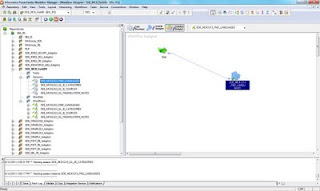
Ok, let's begin with a workflow that I already created in Informatic as you can see:
The workflow SDE_MCK1213_FND_LANGUAGES is created and saved under the repository folder SDE_MCK_Forklife as shown:


The mapping of the same name: SDE_MCK1213_FND_LANGUAGES is what the workflow session is using. It's a basic mapping with the following informations:

Source table: FND_LANGUAGES

Target table: FND_LANGUAGES

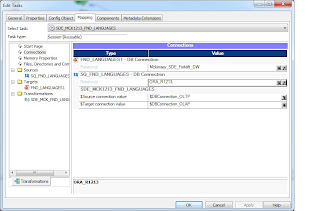
Source DB: ORA_R1213

Target DB: Mckinsey_SDE_Forklift_DW
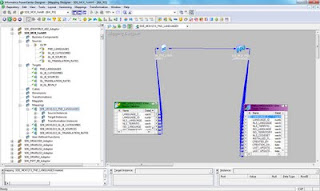


So now that we have all of the basic information about this workflow, we want to use DAC to run this workflow so that the data will get loaded.

Knowing this is the requirement, how are we going to start our configuration in DAC?

Find out in part 2 of the serie.

Stay tuned.

Monday, July 4, 2011

Convert a date type into year&month format

I am sure some other people have blogged this somewhere, but I'd like to add this to my list of topics because I have encountered this type of requirement quite often.

Basically, let's say we have a column called 'shipped date' that has data like 'YYYY-MM-DD'. If we want to change this data so it displays only year and month, like 'YYYY-MM' or 'YYYYMM', then how would we do it?

First of 'YYYY-MM-DD' is date datatype but once we change it to 'YYYYMM', it no longer is date anymore. Therefore a database function 'To_char' is needed for such a conversion.

In OBIEE, there is a function 'evaluate' that can help executing database functions within the Admin tool.

Therefore, the entire statement is something along this line:
EVALUATE('TO_CHAR(%1,%2)' AS CHARACTER ( 30 ), "Purchase_Facts"."PO_DATE", 'YYYYMM')
if that's all we want to do.

Here, %1 and %2 are the number of parameters we are passing. We are dealing with only 2 parameters in this case: year and month, so we have %1 and %2.

So having followed the syntax, we define this statement in physical column mapping, which is in the LTS of the logical table in BMM layer, as you can see in the below testing sample:


This gives the physical definition of the column to be 'YYYYMM' instead of the original 'date' data.

Try it and test it for yourself..

Thanks
Until next time.

Saturday, July 2, 2011

IBOT: Difference between the two Data Visibility setting

I know this is a very basic point about setting up IBOT, I still think it's worth noting on the blog for those who only knows the difference conceptually but not practically.

As you can see, there are 2 optional for 'Data Visibility' setting when creating any IBOT:


So what exactly does IBOT do when the setting is 'personalized' and when is not 'personalized'?

Personalized setting: The IBOT will execute the report and delivery its content for each individual recipient in distinct sessions. In other words, if you have 5 recipients for this IBOT, then when the IBOT is running, in the session monitor screen, you will see 5 sessions with the exactly same SQL being executed, each for one of the five recipient on the list. The feature of allowing subscribers to customize IBOT is enabled.

Not personalized setting: The IBOT will execute the report and delivery its content to all recipients at one time, the session will run as the userid that owns this IBOT. In other words, in the same session monitor screen, you will only see the report executed once and only, and the userid that the session belongs to will be the creator of that IBOT. On the other hand, the feature of allowing subscribers to customize IBOT is disabled.

So, knowing the difference, the rest is the business decision to make. Depending on the environment, hardware and software resources, and the demand of the BI system, if having too many query sessions running on the server box at the same time is not a good thing, then avoid personalized IBOT setting, especially when dealing with many IBOTs of similar requests. If you want to give certain users the ability to customize the IBOT because it is more important, then 'personalized' the setting. You just can't have both in one single IBOT.

Thanks
Until next time.

Wednesday, June 29, 2011

'Date' defined by repository with timestamp information

It's been a while since the last post.

Today, I just want to talk about something we run into on our project related to defining 'date' using repository variable.

Defining a dynamic variable that returns yesterday's date is pretty easy by just adding the following statement in the initialization block:

select sysdate-1 from dual

The result shows that it also comes with hours and seconds after the date, like so:


Now changing the statement to select trunc(sysdate - 1) from dual, will remove the unwanted values at those timestamp positions following date, like so:


All these are fine and the value that the variable provides is also correct. However, we did overlook at one thing after moving forward with this setup.

Take the variable 'Yesterday_date' for instance, when we add that variable to the filter in the report, the SQL that's generated shows the following at the where clause:

T3266990.SNAPSHOTDATE = TIMESTAMP '2011-06-28 00:00:00'

Instead of having T3266990.SNAPSHOTDATE = TO_DATE('2011-06-28' , 'YYYY-MM-DD') when filtering without variable.

As far as the data is concerned, it is working correctly, however, it may affect the query's performance when it is using TIMESTAMP.

Depending on the setup of the database and it will affect the partitioning of the query if the passing parameter has timestamp in it, which isn't going to be a optimal thing to have.

The challenge now is how to use dynamic variables and still get To_Date in the SQL.

We have reached out to oracle support, basically we have been told that this is the way it is as:
"The init block returns a timestamp because OBI has no internal knowledge of what datatypes will be returned by the SQL statement. It only knows what the database tells it"

For further reading please go to:
http://download.oracle.com/docs/cd/B14117_01/server.101/b10759/sql_elements001.htm#i54335

The bottom-line is that in order to disassociate repository variable with timestamp, the datebase itself must contain date only data-type. If you are oracle DB, it automatically includes time & second in it so it will have to be changed completely, which isn't going to be easy.

Therefore the decision is up to the business as we know the factual behavior.

Looking forward to seeing whether the next release of 11G will have to way around this behavior.

Thanks

Until next time.

Tuesday, February 15, 2011

How to join 2 tables conditionally

In a project, more often than none that it is desired to join a dimension table to a fact table based on certain conditions instead of a direct join.

For example, I have a time dimension table that keeps two calendar codes and we only want the data that its calendar code is '001' to be matching with the data in the fact table, otherwise for certain product or location, it's measure would be counting both calendar code.

Now before we proceed, let's look at another option of doing this. We can apply a filter on the time dimension table to filter out all the records that it's calendar code is '001' and then join this table to the fact. Note that if done this way, then the filter will be applied to this dimension and will not be changed. So what if this time dimension is a part of a conformed dimension that joins to two fact tables that one fact that does need both calendar code to be counted? Therefore, we will see if we can change the join logic between the time dimension and the fact table.

So let's look at the below data model:


So let's change the join between Retail Sales Calendar Time and A_RTL_Sales_Audit_AGG

Instead of using a foreign key join, let's use a complex join in physical layer (Yes, I just broke the best practice rule again!):


In the expression builder, enter the following code:
CASE WHEN SUBSTRING("Retail Sales Calendar Time".RETAIL_YEAR_WEEK_TYPE_CD FROM 7 FOR 3) = '001' THEN "Retail Sales Calendar Time".RETAIL_WEEK_ENDING_DATE END = A_RTL_SALES_AUDIT_AGG.CW_ENDING_DATE

Here what I am doing is looking up the column "Retail Sales Calendar Time".RETAIL_YEAR_WEEK_TYPE_CD and if the last 3 digits of that column is '001', then use the column "Retail Sales Calendar Time".RETAIL_WEEK_ENDING_DATE as the joining column, otherwise the join will not return any matching data.

Let's run some test:


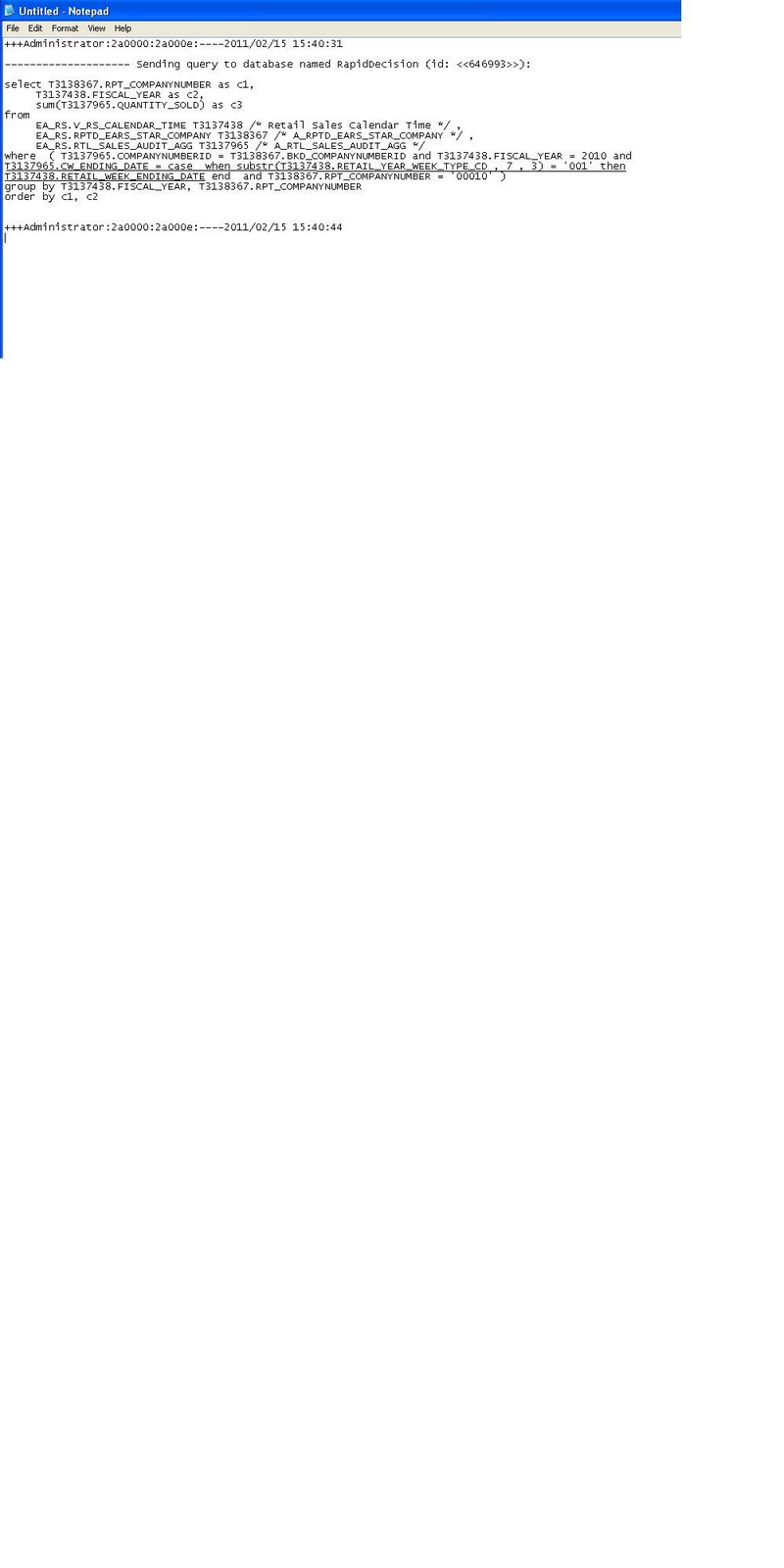
And the resulting SQL generated by this query:


However, if the report is using measures from another fact table that doesn't want this condition to be applied:


Then the SQL generated as a result will not have the above condition applied to the query:


Thanks
Until next time!
Related Posts Plugin for WordPress, Blogger...